

 Studio42
IntroductionInstallation Choose and adjust a plugin Plugin : YouTube Videos Plugin : Extended link Plugin : Specifications Plugin : Joomla Modules Plugin : Kunena Topic Plugin : Joomla Article Plugin : Image comparator Plugin : Google Map Plugin : Images & Files Plugin : Text Editor Plugin : Product info Plugin : Search Tags Plugin : Personnal Information Plugin : Dropdown list Plugin : Cart input Plugin : Color list
Introduction
This custom field is a kind of mega plugin for integrated infinite possibilities in Virtuemart. It allows among other things to add validations in the basket, to choose the language of display, to disable the rendering for certain groups of customers, to use overridess in the templates, to make different rendering according to the context (basket, mini basket, customer order ,administration order ). It also makes it possible to create sql tables and to facilitate the writing of code, thus to conceive plugins in 2 times less time and without knowthe code of Virtuemart.
You can see this page for examples of tests Shortcodes categorie
You can see this page for examples of tests Shortcodes categorie
Installation
Go to the Joomla installation menu.
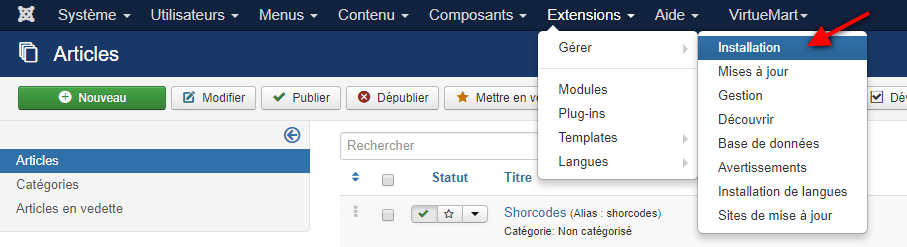
Choose the downloaded zip from your computer
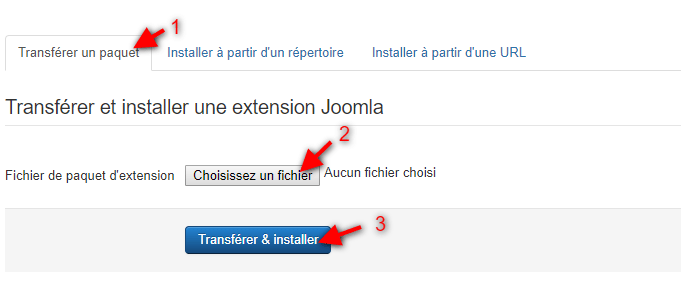
Activate the plugin VM Custom Shortcodes Plugin in the list
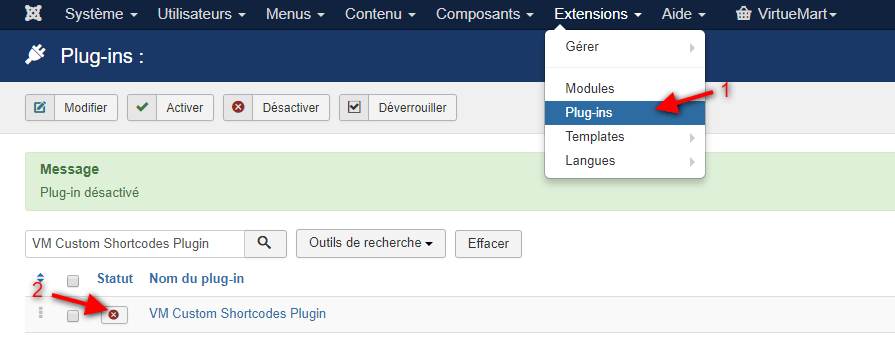
Choose and adjust a plugin
Open the product submenu : Custom fields and click on the new button
Custom Field Type: choose Plug-ins, Additional Parameters VM Custom Shortcodes Plugin and Shortcodechoose a plugin from the list.
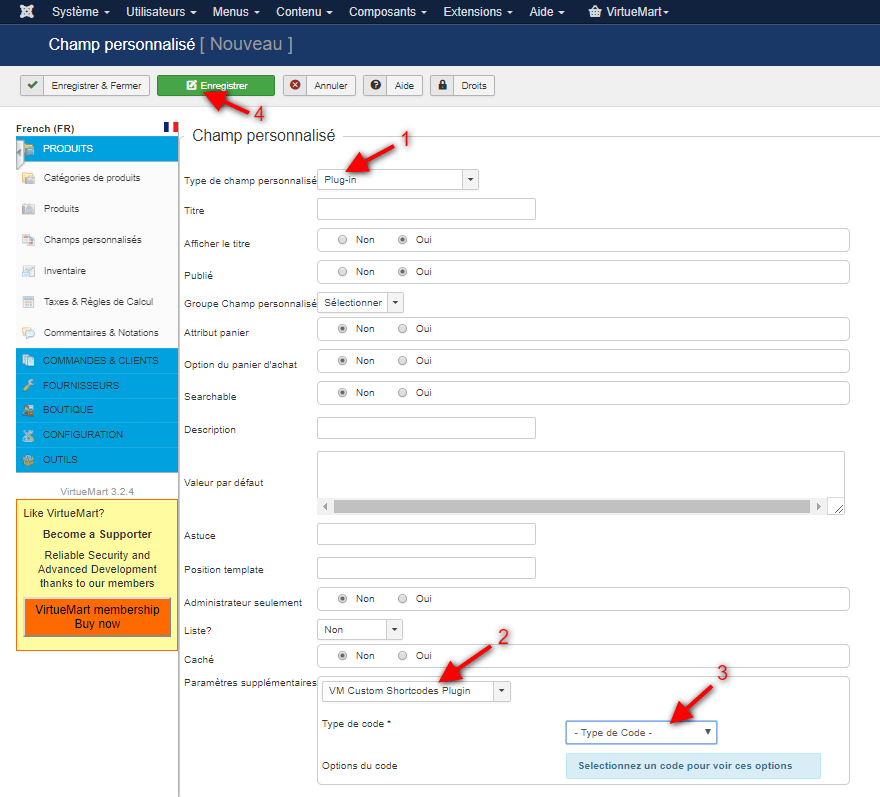
You will then have the parameters displayed according to the plugin chosen below.
Click on Save or Save & Close to save the current custom field settings
YouTube Videos
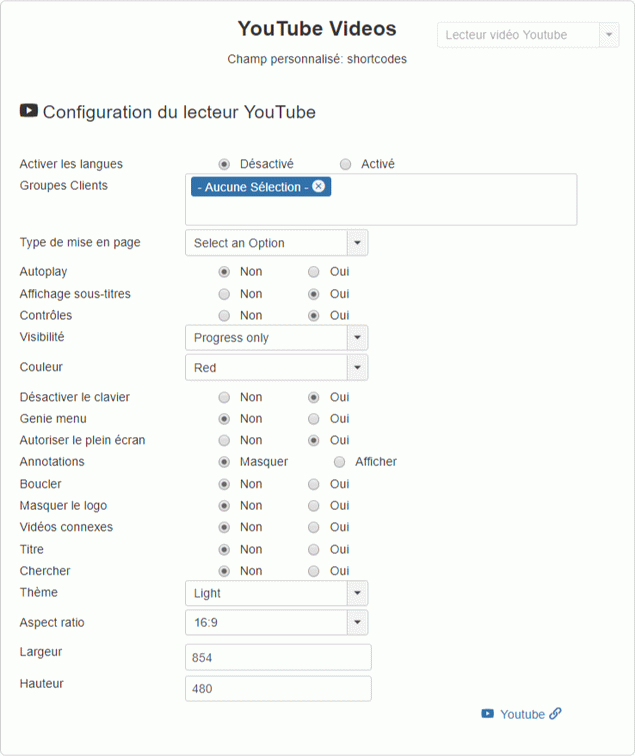
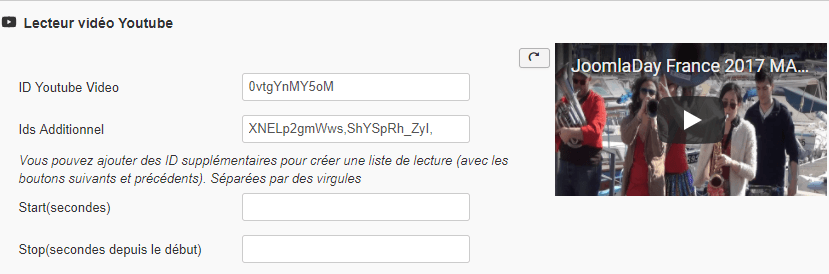
The YouTube plugin allows you to play your videos directly by simply adding the ID used for your video.
You can also use gallery mode to chain multiple videos in a row.
Custom field setting
Product setting
Plugin : Extended link
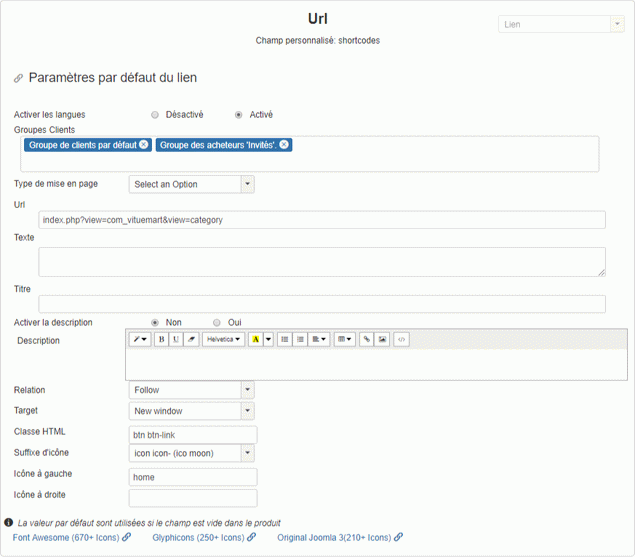
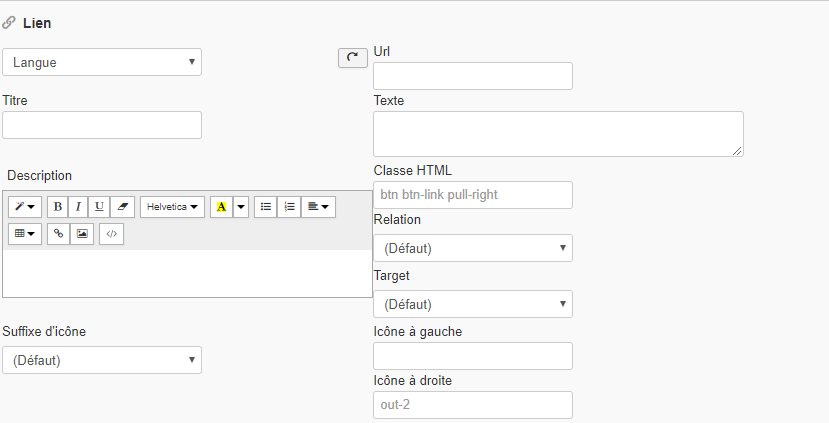
This type of field allows you to add a direct link to a page of your site or an external link. it also includes a text editor to add a description in HTML
Custom field setting
Product setting
Specifications
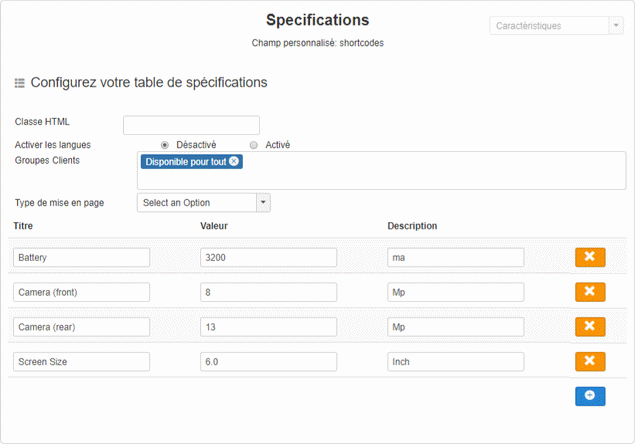
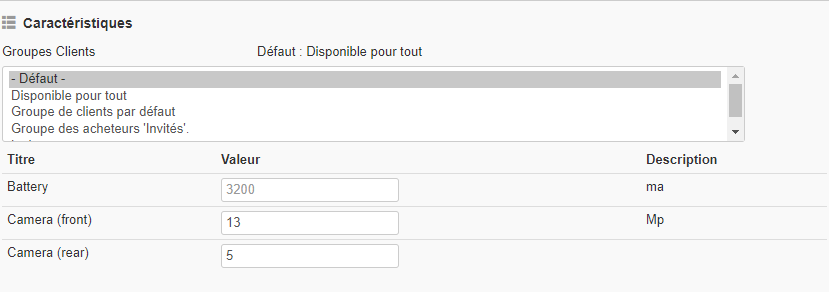
Easily add the specifications of your products with this custom field and create a predefined table including all your specifications that you can modify at will in your product.
Custom field setting
Product setting
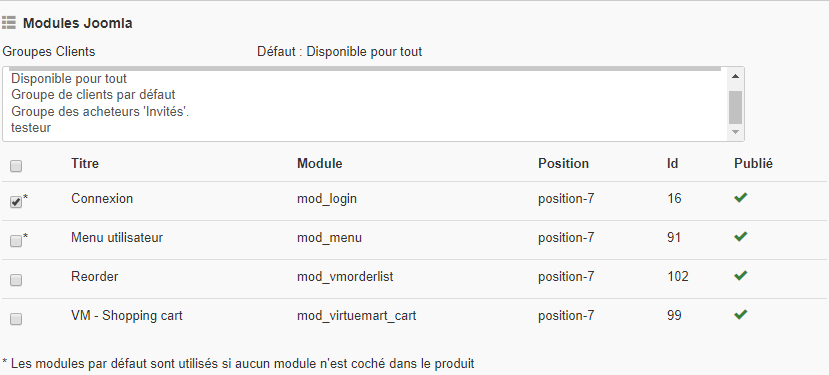
Joomla Modules
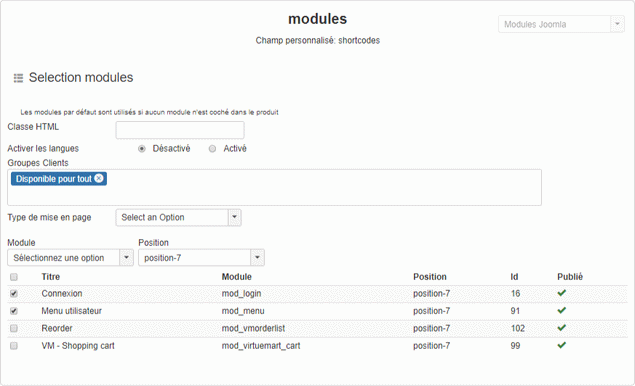
When you need the same module (s) regularly, you can predefine a list of modules to include but also redefine them in the product.
Custom field setting
Product setting
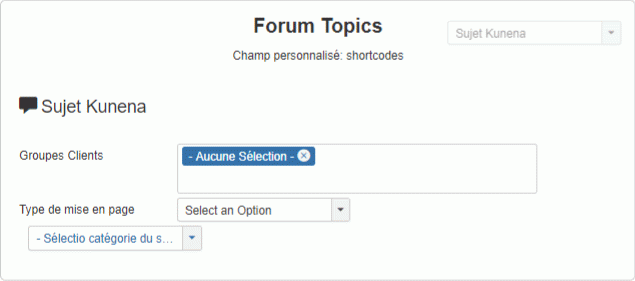
Kunena Topic
Associate a topic of a Kunena forum in the product,automatically created when this plugin is present.

Joomla Article
Insert your article at the chosen position of your personal field. Perfect if you need to add the same text in several products and the article already exists.
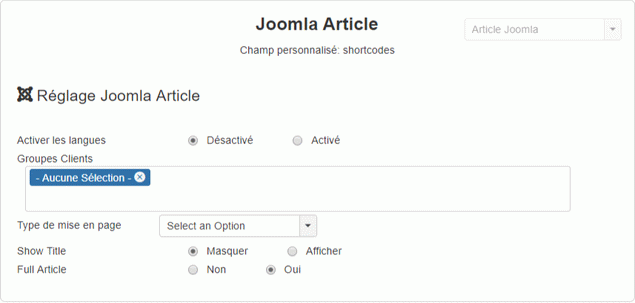

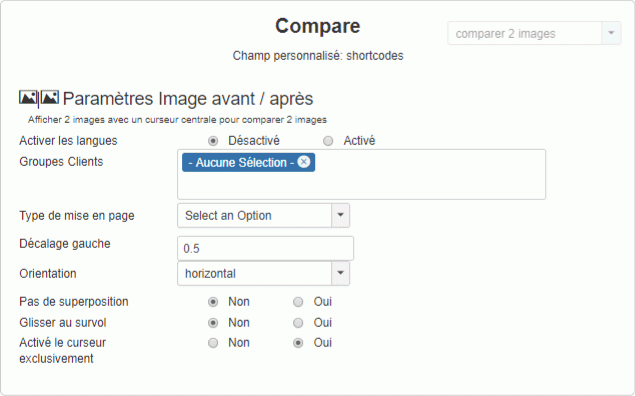
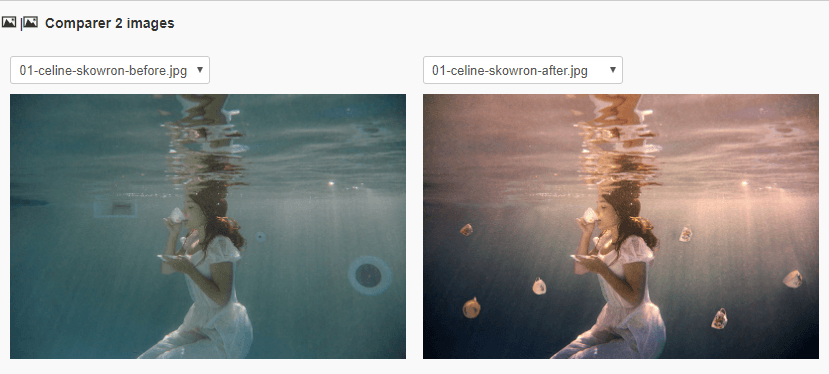
Image comparator
Displays two overlapping images with a center slider to compare images.
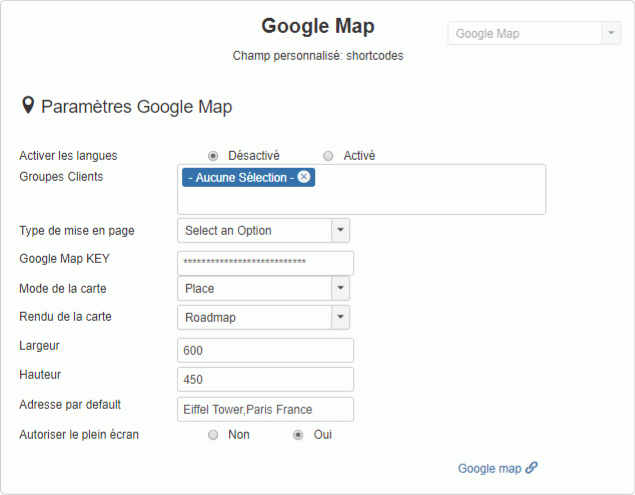
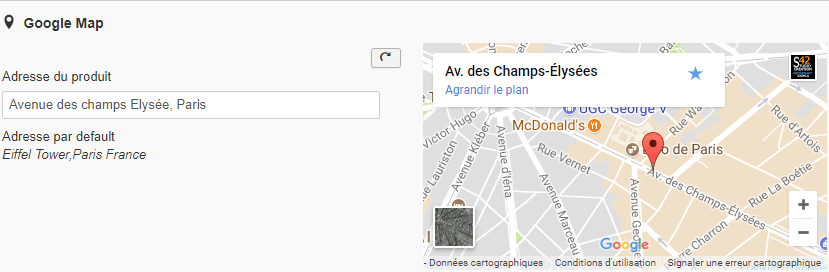
Google Map
Integrate your parametric Google Maps with a predefined and modifiable address in each product.
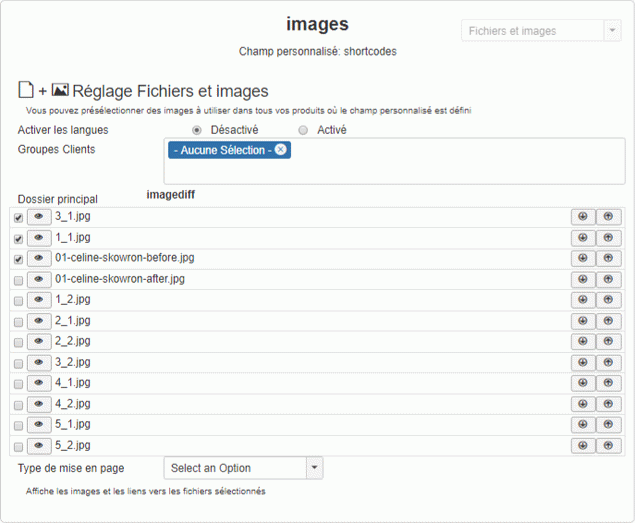
Images & files
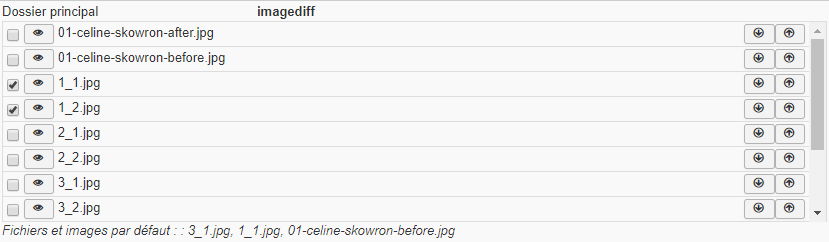
Add images and files link from a chosen folder with a simple click in a list.
Text Editor
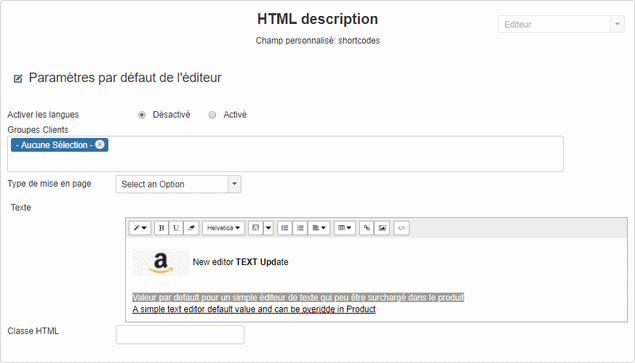
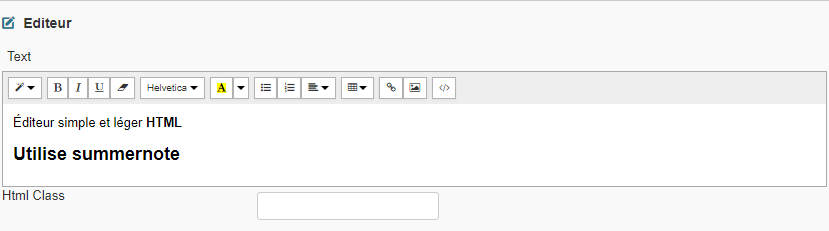
A fast, lightweight text editor that does not conflict with the main Joomla editor
Product info
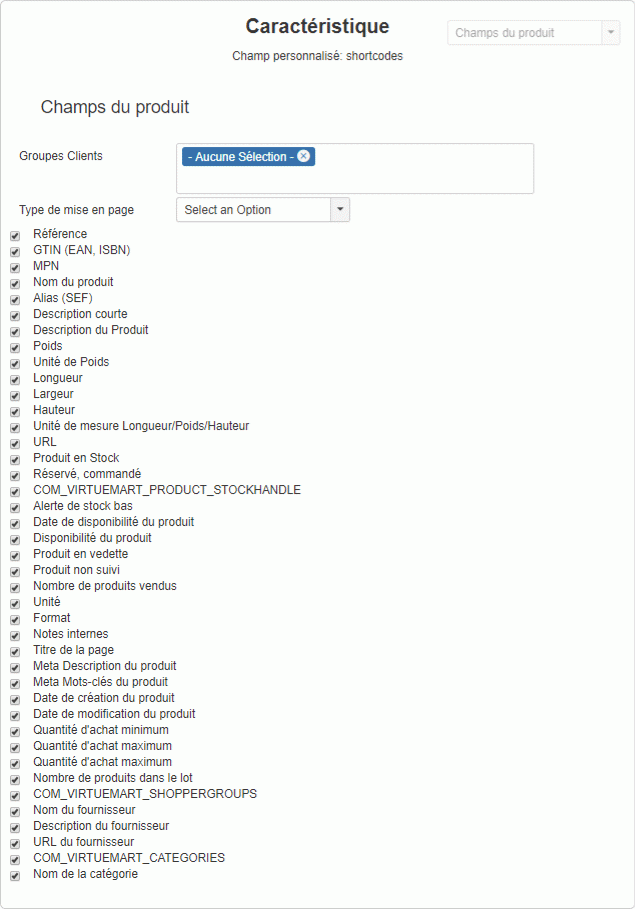
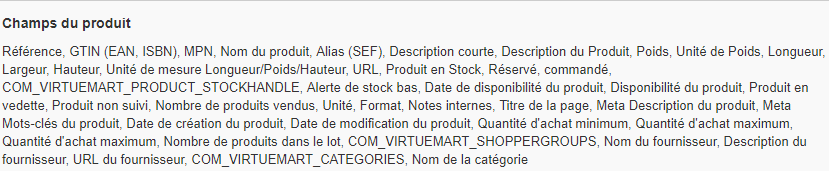
Displays virtually any product information that is not normally displayed.
Search Tags.
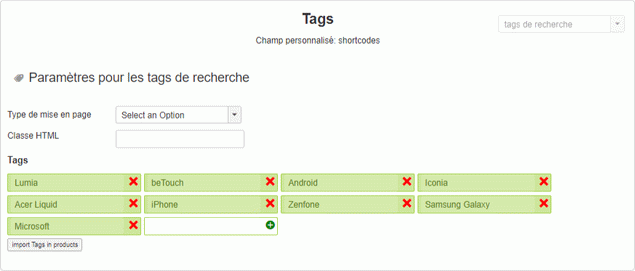
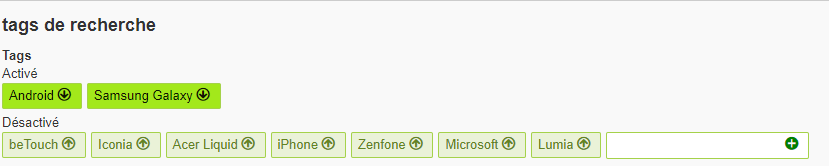
Add tags in products with a link that will display products with the same tags.
Personnal Information
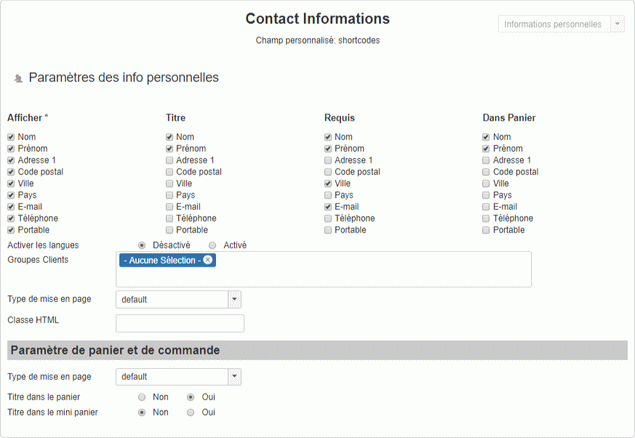
Do you sell tickets? this field will create a very simple to configure form and quick setup, from simple Name to complete address with validation.

Cart Dropdown list
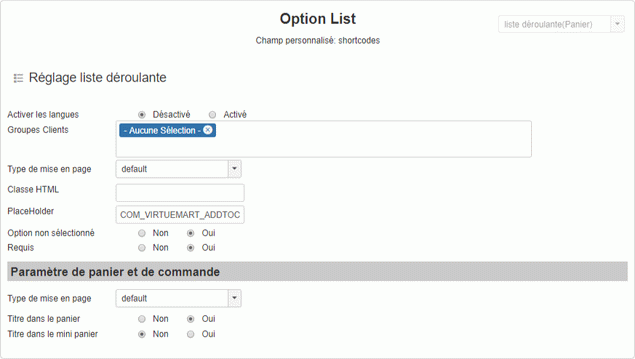
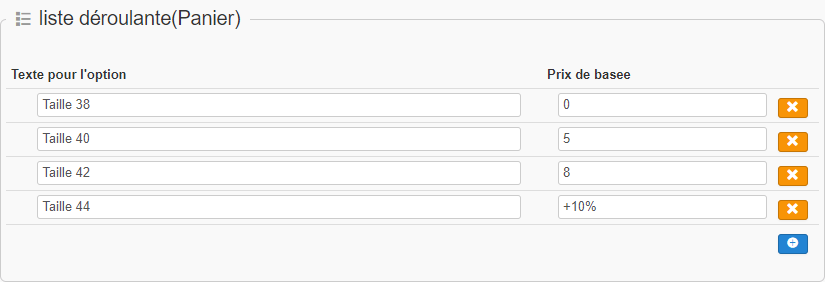
Create a list for the shopping cart with validity check, with mandatory selection or not.
Cart input
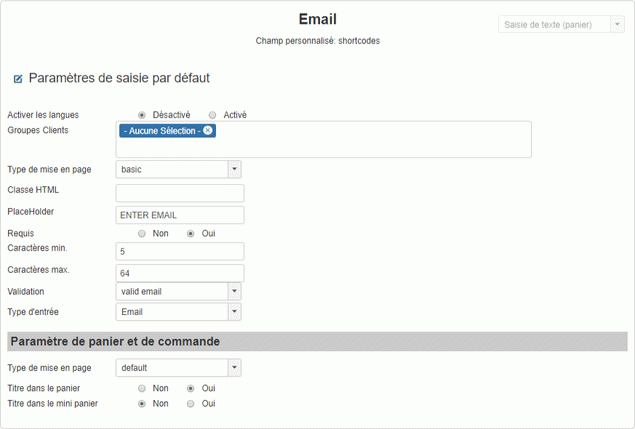
Adds a text input field to the shopping cart with validation option (email, url, iban, integer, phone ...), size, required and type of entry (email, phone, text ...)
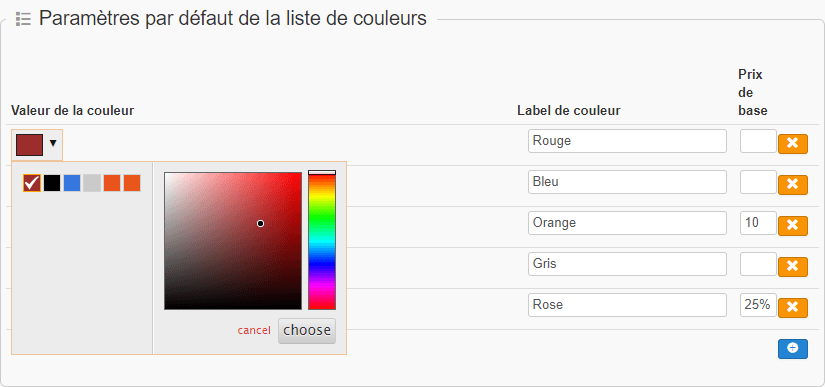
Color list
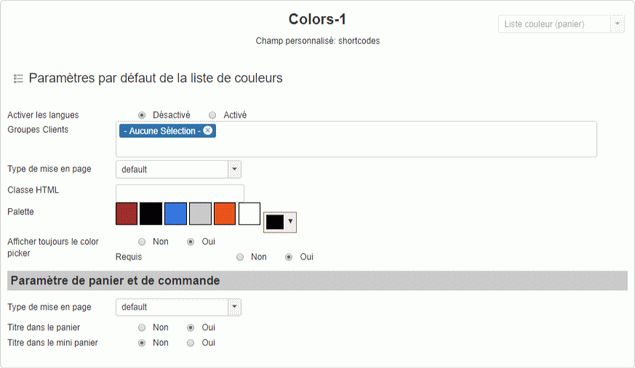
Color palette options for the shopping cart with obligation to select an option or not.
Development
Simply create plugins.
The custom field "shortcode" has been designed to facilitate the creation of plugin. Each view has been separated to avoid searching for codes, usually each file contains the code for its task: The main class has the same name as the plugin and is in a directory of the same name For example / plugins / vmcustom / shortcodes /plugins/url/url.php for the url plugin, the plugins directory contains all the plugins. class VmCustomShortcodesUrl extends VmCustomShortcodesPlugin
{
// is input : 0 standard field, 1 cart field
protected $is_input=0;
protected $options = array(
'layout_product' => 'default', //Layout option
'groups' => 'none' //option : Shopper groups : 'none' will be the default value
);
}
Note that this code is sufficient in the main class to run the plugin. because VmCustomShortcodesPlugin parent have all the code and function needed, no need to write them. The only time you need to add functions is when you have to modify tables, control values ...
/plugins/vmcustom/shortcodes/plugins/url/
url.php (la classe principal)
edit_customfield.php (the edit view of the custom field plugin shortcode)
edit_product.php( the edit view in the product )
language/en-GB/en-GB.shortcode_url.ini (Front language)
language/en-GB/en-GB.shortcode_url.sys.ini (Admin and edition language)
tmpl/default.php (rendering file in the front)
url.php (la classe principal)
edit_customfield.php (the edit view of the custom field plugin shortcode)
edit_product.php( the edit view in the product )
language/en-GB/en-GB.shortcode_url.ini (Front language)
language/en-GB/en-GB.shortcode_url.sys.ini (Admin and edition language)
tmpl/default.php (rendering file in the front)