

 Studio42
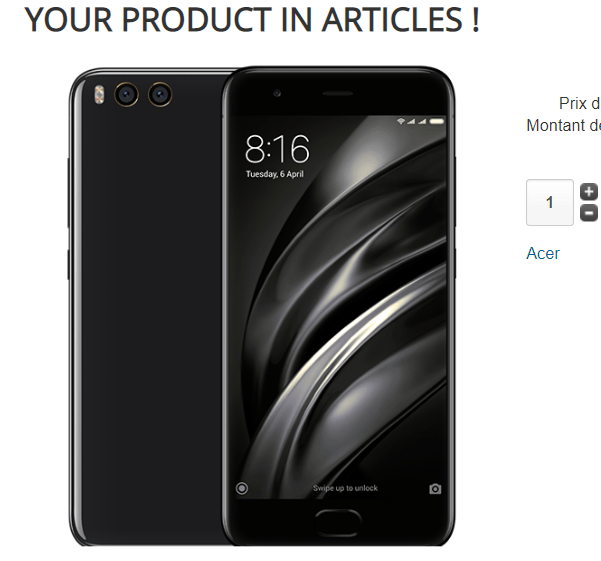
Plugin product in article
based on 1 rating Array
Description of Extensions Plugin product in article
Thanks to this plugin, you can integrate a product into content.
View Demo product with article
Just add the tag {p = 100} for example, to display the product with the virtuemart product ID 100 and default settings.
Default setting of the product plugin
You can preset the plugin, according to your needs.
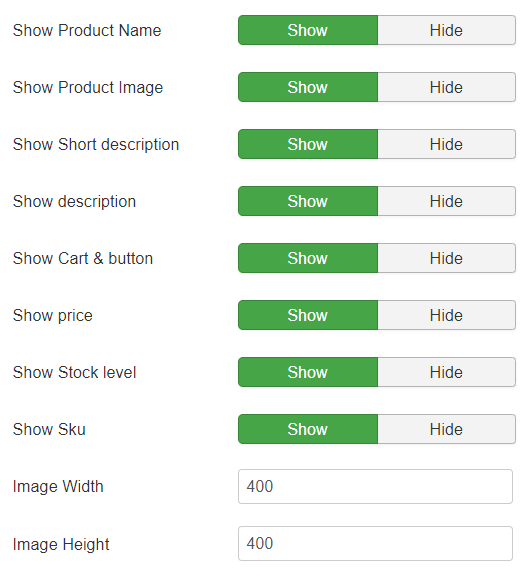
Here are the settings and the name of the parameter to use in the content to override the default settings
Show product name
Sho or hide name of prduct
name=1 or name=0
Show product image :
Show/hide the product image
image=1 or image=0
Show Short description :
Show/hide short description
short_desc=1 or short_desc=0
Show description:
Show/hide product description
desc=1 or desc=0
Show Cart & Button
See or not the shopping cart options and button add to cart
cart=1 or cart=0
Show Price:
Show or not the price(s), the prices displayed are the same as Virtuemart.
price=1 or price=0
Show stock level:
See or not the stock of the product.
stock=1 or stock=0
Show Sku:
Show or hide the Sku
sku=1 or sku=0
Image Width
Use your own image width. If you do not set a value, the width of Virtuemart will be used.
w=400 for 400 pixels
Image Height
Use your own image width. If you do not set a value, the width of Virtuemart will be used.
h=400 for 400 pixels
See link to product
Displays an additional link to product details
link=0 or link=1
Example with all possible parameters {p=0;name=0;short_desc=0;desc=0;cart=0;price=0;stock=0;link=0}